리액트 네이티브에서 Prettier설정은 같은 프로젝트를 깃으로 공유할 때 필수적이다.
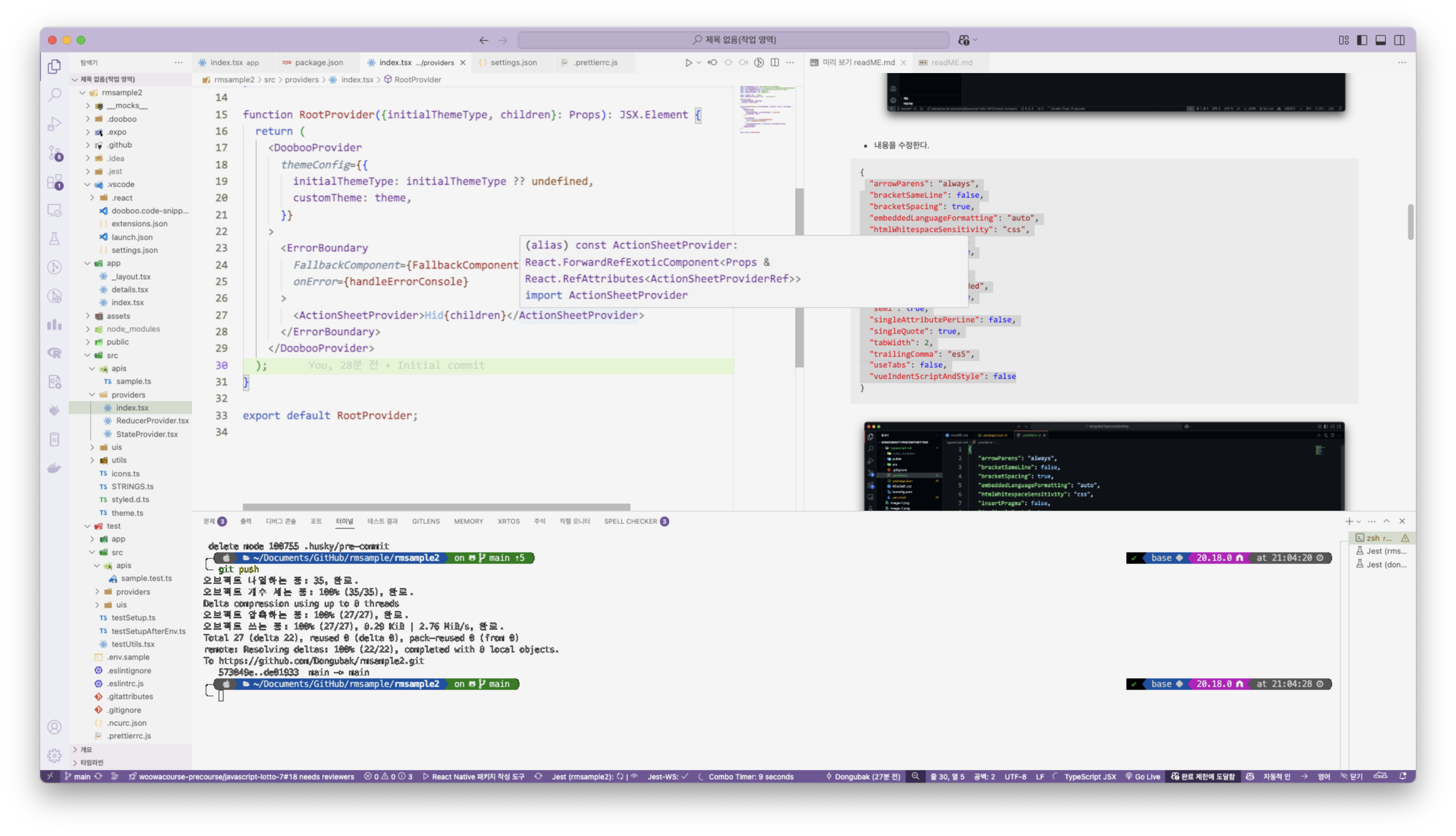
먼저 .prettierrc.js 내부 파일을 수정해준다.
module.exports = {
  arrowParens: 'always',
  bracketSameLine: false,
  bracketSpacing: true,
  embeddedLanguageFormatting: 'auto',
  htmlWhitespaceSensitivity: 'css',
  insertPragma: false,
  jsxSingleQuote: true,
  printWidth: 80,
  proseWrap: 'always',
  quoteProps: 'as-needed',
  requirePragma: false,
  semi: true,
  singleAttributePerLine: false,
  singleQuote: true,
  tabWidth: 2,
  trailingComma: 'es5',
  useTabs: false,
  vueIndentScriptAndStyle: false
};
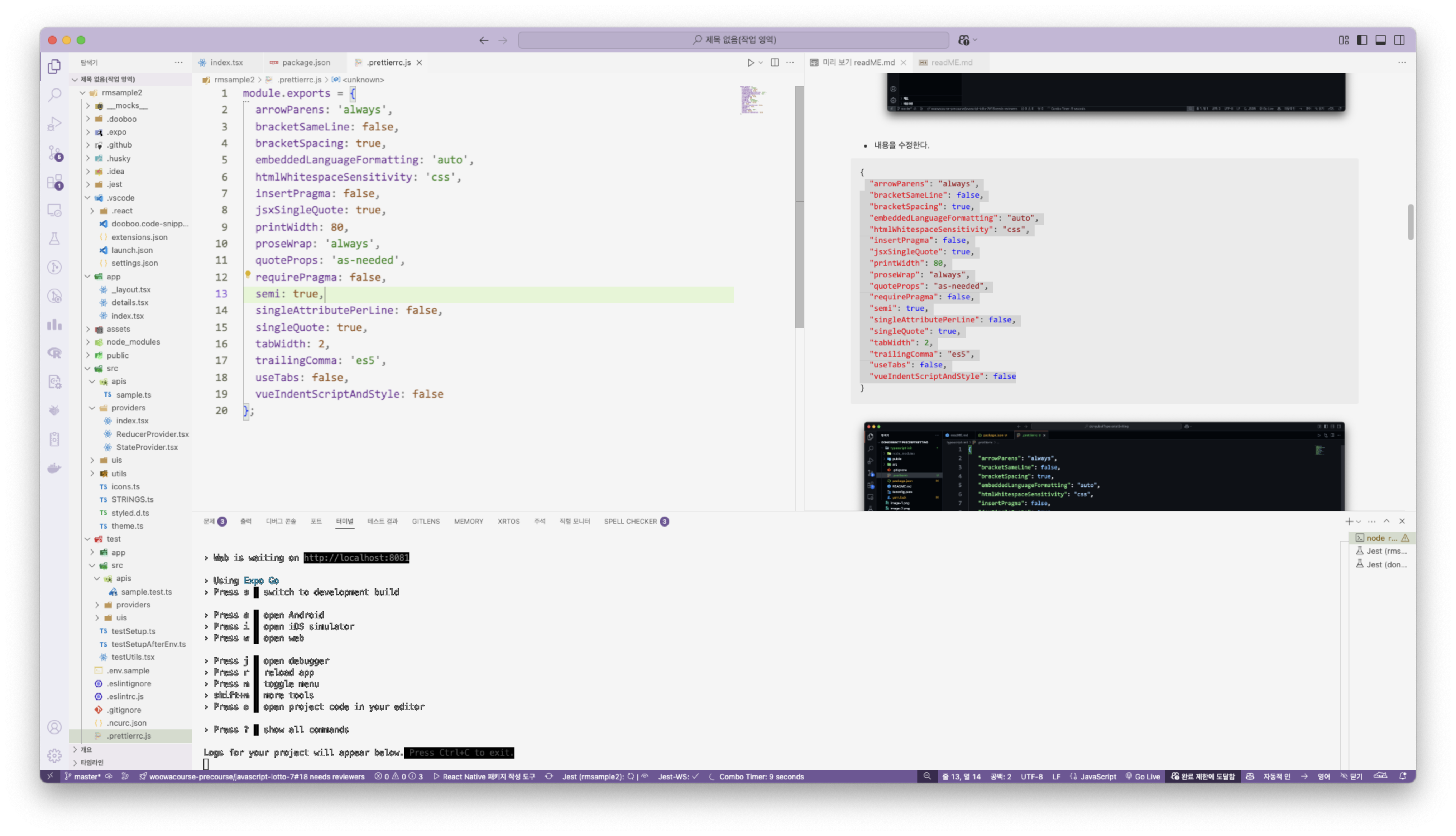
이제 prettier를 통해 수정할 수 있는 명령어를 작성한다.
명령어는 package.json 내부 script에 작성해주면 된다.
{
  "name": "rmsample2",
  "version": "0.0.1",
  "main": "expo-router/entry",
  "scripts": {
    "start": "expo start",
    "start:prod": "STAGE=prod expo start",
    "android": "expo run:android",
    "ios": "expo run:ios",
    "web": "expo start --web",
    "lint": "eslint --ext .ts,.tsx,.js,.jsx src app test",
    "lint:i18n": "eslint --fix --ext .json --format node_modules/eslint-plugin-i18n-json/formatter.js assets/langs/",
    "fix:deps": "expo install --fix",
    "lint:all": "bun lint && bun lint:i18n",
    "format": "prettier --check ./src",
    "format:fix": "prettier --write ./src",
    "build:web": "expo export --platform web",
    "test": "jest --runInBand",
    "eas:android": "eas build --profile preview --platform android",
    "eas:prod:android": "eas build --profile production --platform android",
    "eas:prod:ios": "eas build --profile production --platform ios"
  },
  "dependencies": {
    "@emotion/native": "^11.11.0",
    "@emotion/react": "^11.14.0",
    "@expo/match-media": "^0.4.0",
    "@expo/react-native-action-sheet": "^4.1.0",
    "@react-native-async-storage/async-storage": "1.23.1",
    "@react-native-community/datetimepicker": "8.2.0",
    "@shopify/flash-list": "1.7.1",
    "date-fns": "^4.1.0",
    "dooboo-ui": "^0.2.41",
    "expo": "~52.0.20",
    "expo-constants": "~17.0.3",
    "expo-device": "~7.0.1",
    "expo-font": "~13.0.2",
    "expo-image": "~2.0.3",
    "expo-image-picker": "~16.0.3",
    "expo-linear-gradient": "~14.0.1",
    "expo-linking": "~7.0.3",
    "expo-localization": "~16.0.0",
    "expo-notifications": "~0.29.11",
    "expo-router": "~4.0.14",
    "expo-screen-orientation": "~8.0.2",
    "expo-sharing": "~13.0.0",
    "expo-splash-screen": "~0.29.18",
    "expo-status-bar": "~2.0.0",
    "expo-system-ui": "~4.0.6",
    "expo-tracking-transparency": "~5.1.0",
    "expo-updates": "~0.26.10",
    "expo-web-browser": "~14.0.1",
    "i18n-js": "4.5.1",
    "lottie-react-native": "7.1.0",
    "react": "18.3.1",
    "react-dom": "18.3.1",
    "react-native": "0.76.5",
    "react-native-error-boundary": "^1.2.7",
    "react-native-gesture-handler": "~2.20.2",
    "react-native-modal": "^13.0.1",
    "react-native-pager-view": "6.5.1",
    "react-native-parsed-text": "^0.0.22",
    "react-native-reanimated": "~3.16.5",
    "react-native-safe-area-context": "4.12.0",
    "react-native-screens": "~4.1.0",
    "react-native-svg": "15.8.0",
    "react-native-tab-view": "^4.0.5",
    "react-native-web": "~0.19.13",
    "react-native-web-lottie": "^1.4.4",
    "react-native-webview": "13.12.5"
  },
  "devDependencies": {
    "@babel/core": "^7.26.0",
    "@babel/plugin-proposal-nullish-coalescing-operator": "^7.18.6",
    "@babel/plugin-proposal-optional-chaining": "^7.21.0",
    "@commitlint/cli": "^19.6.1",
    "@commitlint/config-conventional": "^19.6.0",
    "@emotion/babel-plugin": "^11.13.5",
    "@mmomtchev/expo-android-localized-app-name": "^1.0.1",
    "@testing-library/jest-native": "^5.4.3",
    "@testing-library/react-native": "^12.9.0",
    "@types/i18n-js": "^3.8.9",
    "@types/jest": "^29.5.14",
    "@types/react": "~18.3.12",
    "ajv": "^8.17.1",
    "babel-jest": "^29.7.0",
    "commitlint-plugin-function-rules": "^4.0.1",
    "dotenv-cli": "^7.4.4",
    "eslint": "^8.57.0",
    "eslint-config-expo": "~8.0.1",
    "eslint-config-prettier": "^9.1.0",
    "eslint-plugin-i18n-json": "^4.0.1",
    "eslint-plugin-jest": "^28.10.0",
    "eslint-plugin-prettier": "^5.2.1",
    "jest": "^29.7.0",
    "jest-expo": "~52.0.2",
    "jest-fetch-mock": "^3.0.3",
    "prettier": "^3.4.2",
    "react-test-renderer": "18.3.1",
    "ts-jest": "^29.2.5",
    "ts-node": "^10.9.2",
    "typescript": "~5.3.3"
  },
  "private": true,
  "license": "UNLICENSED",
  "expo": {
    "install": {
      "exclude": [
        "react-native@~0.74.0",
        "react-native-reanimated@~3.10.0",
        "react-native-gesture-handler@~2.16.1",
        "react-native-screens@~3.31.1"
      ]
    }
  }
}
즉 아래 부분을 추가해주었다.
    "format": "prettier --check ./src",
    "format:fix": "prettier --write ./src",
1. yarn format은 단순히 형식에 맞지 않는 파일들이 있는 가를 검사한다.
2. yarn format:fix는 형식에 맞지 않는 파일들을 수정한다.
수정하기 전

yarn format:fix 후
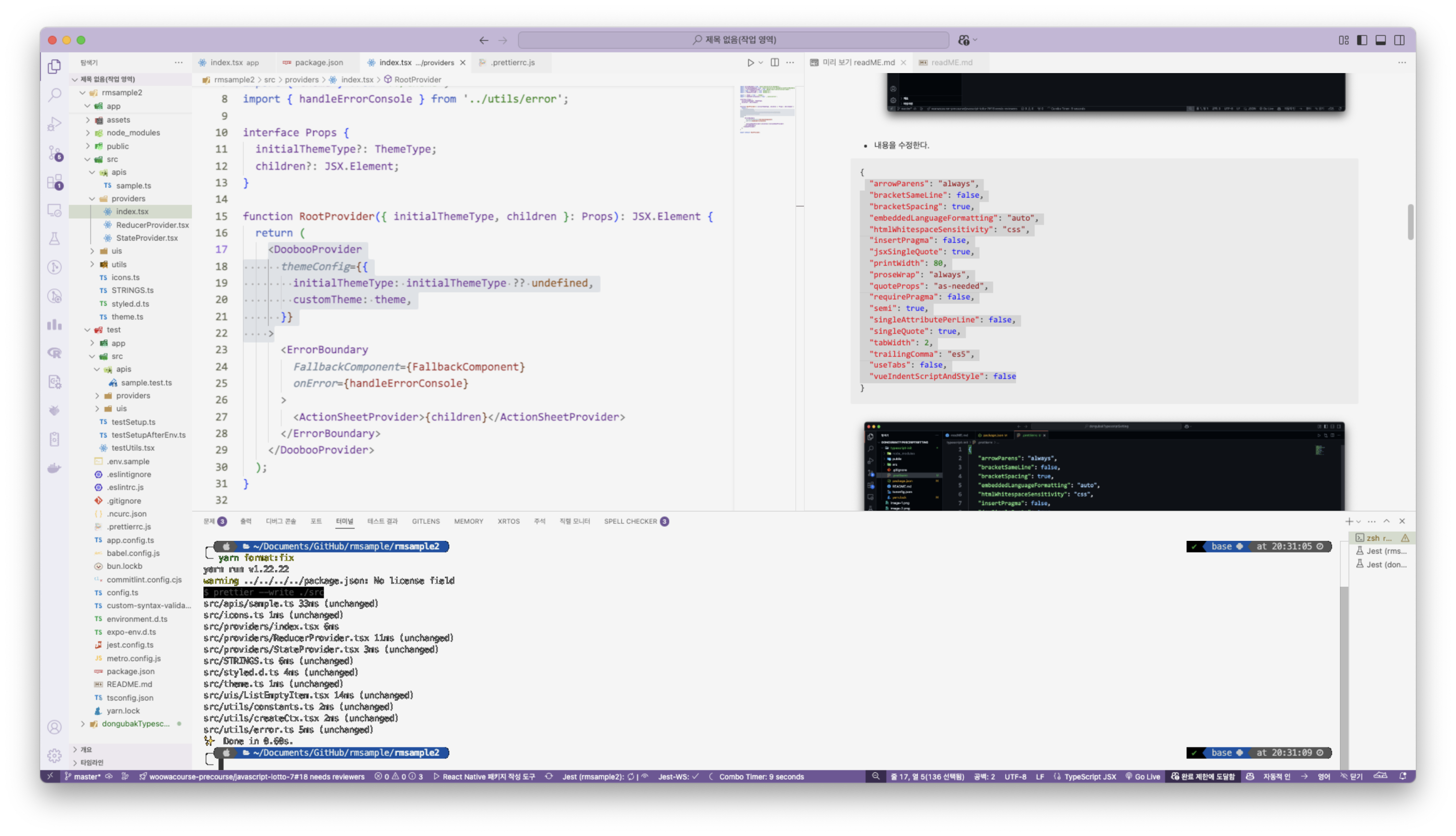
저장 시 자동으로 포맷을 fix하도록 설정하기
.vscode/settings.json 내부 내용을 수정한다.
"editor.codeActionsOnSave": {
"source.fixAll": "explicit"
},
위 내용을 아래 내용으로
"editor.formatOnSave": true,
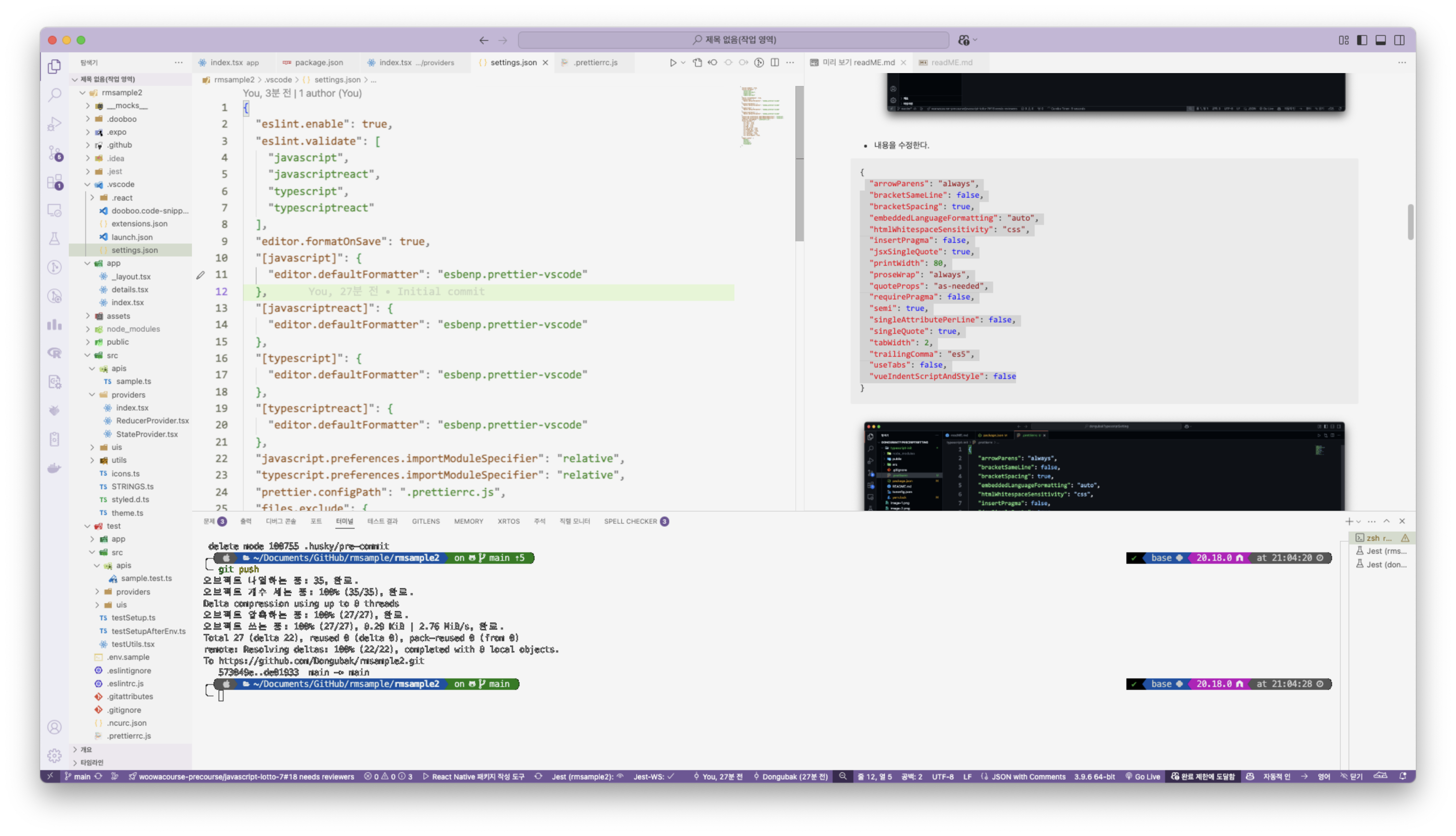
저장하기 전 Dooboo내부 Props가 엉망이다.
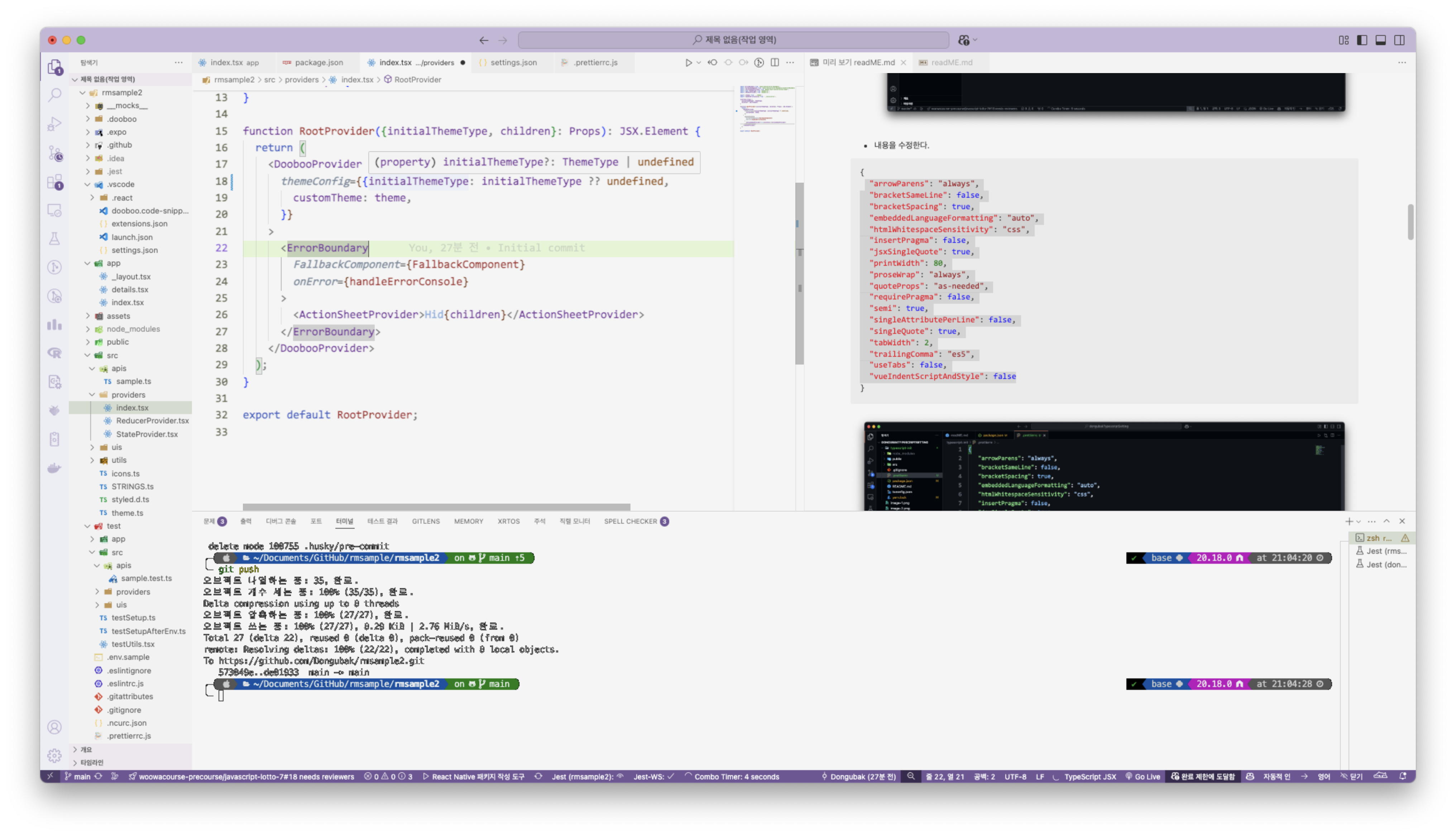
저장 후 바로 포맷이 변경된다.
'React' 카테고리의 다른 글
| React Native / 서버요청 커스텀 훅 만들기 (0) | 2025.02.27 |
|---|---|
| React Native / Typescript 에서의 Props 타입지정 (1) | 2025.02.27 |
| React / React + Typescript / useMemo에 대하여... (0) | 2025.02.05 |
| React / React + Typescript / useEffect에 대하여... (3) | 2025.02.04 |
| React / React + Typescript / 초기 프로젝트 세팅 (0) | 2025.02.03 |


