리액트와 타입스크립트 적용 리액트 네이티브에서의 Props전달 과정
타입스크립트를 적용하였을 때 Props의 타입을 지정해주어야 한다. Props는 보통의 리액트에서 destructuring을 통해 값들을 전달받았다.
const ArticleView = ({ article }) => (
  <CustomView>
    <Typography.Heading1>{article.title}</Typography.Heading1>
    <Typography.Body1>{article.content}</Typography.Body1>
  </CustomView>
);
만약 자바스크립트 템플릿을 적용한 리액트라면 article의 타입을 지정해줄 필요가 없지만 타입스크립트의 경우 타입을 지정해주어야 한다.
타입스크립트에서 객체내부 필드들의 타입 정의하기
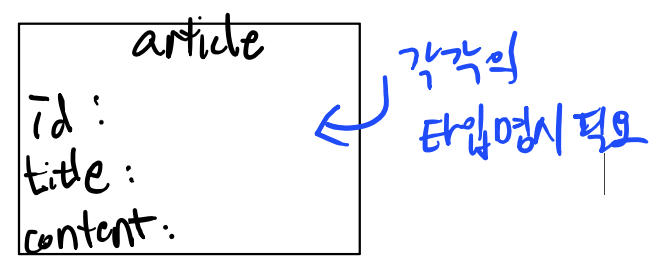
여기서 나는 interface를 통해서 articleType을 정의해주었다.
interface articleType {
  id: number;
  title: string;
  content?: string;
}
컴포넌트를 사용할 때 전달한 Props의 개수가 여러개인 경우 Props에도 여러개의 객체에 대한 타입이 정의되어야 한다.
interface articleType {
  id: number;
  title: string;
  content?: string;
}

interface ArticleViewProps {
  article: articleType;
}
위 ArticleViewProps는 전달 받은 여러개의 Props중 article의 타입을 지정해 주었다.
컴포넌트 정의 부분에 Props타입 지정해주기
여기서는 React.FC<인터페이스> 를 통해 화살표함수의 Props타입을 지정해주었다.
import styled from '@emotion/native';
import { Typography } from 'dooboo-ui';
import { View } from 'react-native';

interface articleType {
  id: number;
  title: string;
  content?: string;
}

const CustomView = styled(View)`
  flex: 1;
  justify-content: center;
`;

interface ArticleViewProps {
  article: articleType;
}

const ArticleView: React.FC<ArticleViewProps> = ({ article }) => (
  <CustomView>
    <Typography.Heading1>{article.title}</Typography.Heading1>
    <Typography.Body1>{article.content}</Typography.Body1>
  </CustomView>
);

export default ArticleView;
만약 여러개의 Props를 전달 받는 경우
interface ArticleViewProps {
  article: articleType;
  loading: boolean;
}

const ArticleView: React.FC<ArticleViewProps> = ({ article, loading }) => (
  <CustomView>
    {loading ? (
ArticleViewProps 인터페이스에 타입을 추가해주면 된다.
'React' 카테고리의 다른 글
| React Native 환경 변수 설정 방법 (0) | 2025.03.04 |
|---|---|
| React Native / 서버요청 커스텀 훅 만들기 (0) | 2025.02.27 |
| React Native / Prettier설정 (0) | 2025.02.23 |
| React / React + Typescript / useMemo에 대하여... (0) | 2025.02.05 |
| React / React + Typescript / useEffect에 대하여... (3) | 2025.02.04 |


